Explore reports in the browser
The static report explorer turns a complete JSON report into an interactive review workspace. The report is processed locally in the browser rather than uploaded to an application server.
Create a report
Write the JSON report alongside the terminal output:
liveness-primer run --tool vulture \
  --repo https://github.com/jendrikseipp/vulture \
  --old v2.15 \
  --new v2.16 \
  --all \
  --output text \
  --json-out liveness-primer-report.json
Open the hosted explorer and
choose liveness-primer-report.json.
Review the blast radius
The explorer can:
search, filter, group, and sort findings;
compare base and head analyzer output with pinned source evidence;
select or hide findings while reviewing a large change;
preserve review state in a versioned JSON record; and
export a focused Markdown or JSON handoff.
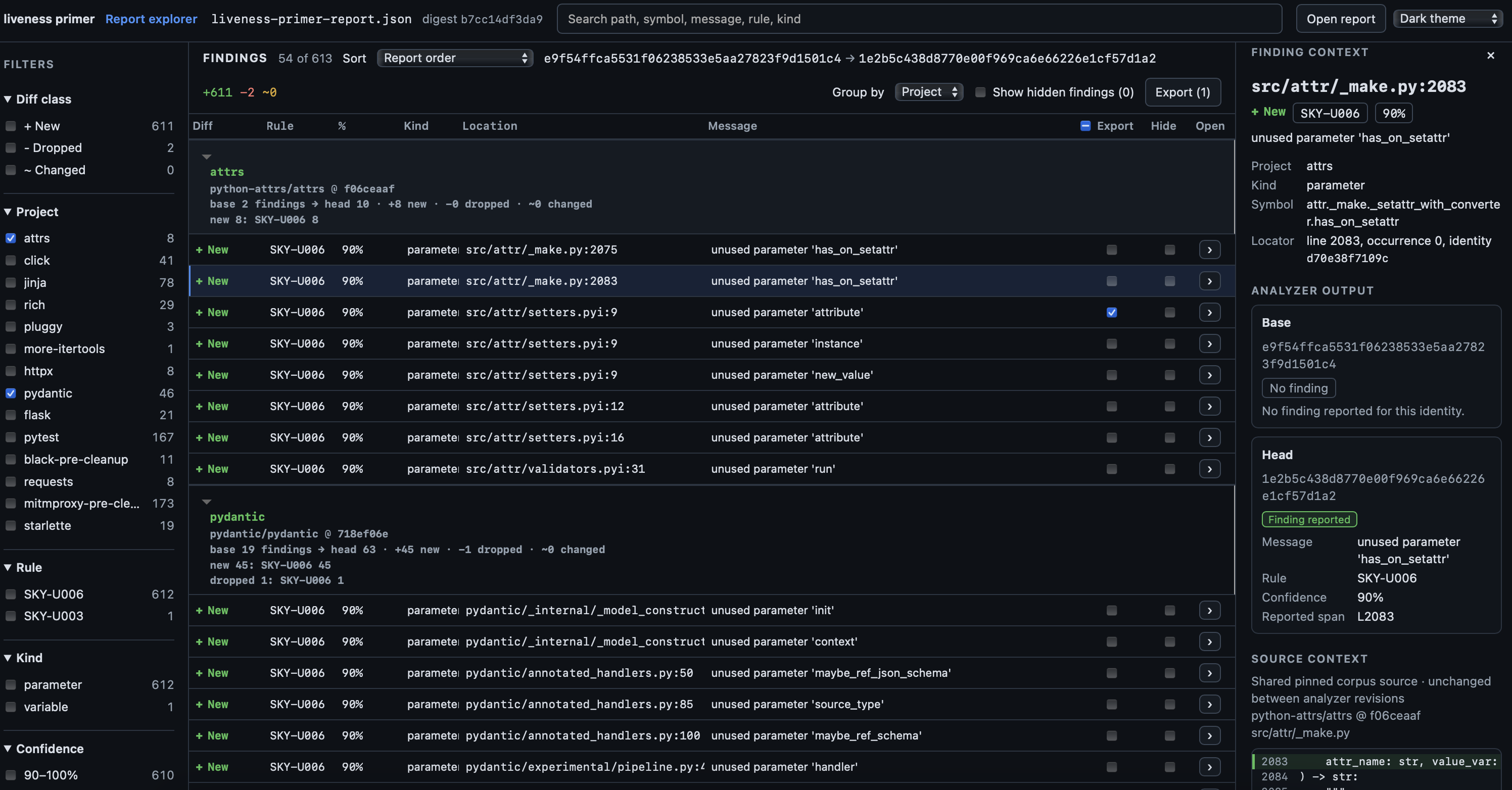
A useful review sequence is:
Check the totals and detector errors before interpreting finding changes.
Filter new, dropped, and changed findings independently.
Group by project, rule, or finding kind to identify unexpected clusters.
Inspect the pinned source context for individual findings.
Select the findings that need follow-up and export a focused handoff.
The complete report remains the source of truth. A focused export is a review artifact, not a replacement for the original JSON report.
Build the explorer locally
cd explorer
npm ci
npm run build
npm run serve
Open http://127.0.0.1:4173/liveness-primer/explorer/. See the explorer development guide for development and verification commands.