Use liveness_primer in CI
A detector pull request can run liveness_primer as an evidence-producing job
or as a strict regression gate. The workflow below writes a compact human
report to the GitHub step summary and uploads the Markdown and complete JSON
reports for interactive or automated review.
Complete GitHub Actions workflow
name: Liveness Primer

on:
  pull_request:

concurrency:
  group: liveness-primer-${{ github.event.pull_request.number }}
  cancel-in-progress: true

env:
  LIVENESS_PRIMER_REF: main
  PYTHON_VERSION: "3.13"

permissions:
  contents: read

jobs:
  skylos:
    name: Skylos blast radius
    runs-on: ubuntu-latest
    timeout-minutes: 45
    steps:
      - name: Check out liveness_primer
        uses: actions/checkout@9c091bb21b7c1c1d1991bb908d89e4e9dddfe3e0  # v7.0.0
        with:
          repository: mcdigman/liveness_primer
          ref: ${{ env.LIVENESS_PRIMER_REF }}
          path: _liveness_primer
          persist-credentials: false

      - name: Install uv
        uses: astral-sh/setup-uv@37802adc94f370d6bfd71619e3f0bf239e1f3b78  # v7.6.0
        with:
          enable-cache: true
          python-version: ${{ env.PYTHON_VERSION }}
          cache-dependency-glob: _liveness_primer/pyproject.toml

      - name: Compare Skylos revisions across the corpus
        run: |
          set -o pipefail
          uvx --from ./_liveness_primer \
            liveness-primer run \
            --tool skylos \
            --repo "${{ github.server_url }}/${{ github.repository }}" \
            --old "${{ github.event.pull_request.base.sha }}" \
            --new "${{ github.event.pull_request.head.sha }}" \
            --all \
            --output github \
            --json-out liveness-primer-report.json \
            --jobs 2 \
            --timeout 300 \
            | tee liveness-primer-report.md >> "$GITHUB_STEP_SUMMARY"

      - name: Upload liveness_primer report
        if: ${{ always() }}
        uses: actions/upload-artifact@043fb46d1a93c77aae656e7c1c64a875d1fc6a0a  # v7.0.1
        with:
          name: liveness-primer-report
          path: |
            liveness-primer-report.md
            liveness-primer-report.json
          if-no-files-found: error
The workflow intentionally keeps the default token read-only, disables credential persistence, pins actions to full commit SHAs, and runs the two detector revisions against the packaged corpus. Adapt the adapter, job name, runtime budget, and concurrency to the detector repository.
Choose a gating policy
Detector crashes, timeouts, and unparseable output fail the run without an
extra gate. Add one or more --fail-on options to reject finding changes:
--fail-on new,dropped, orchangedrejects that diff class;--fail-on anyrequires the normalized finding set to remain unchanged; and--fail-on corpus-integrityrejects corpus-integrity warnings.
For a new feature, leaving finding-diff gates off makes CI an evidence-producing
review job. For a semantics-preserving refactor, --fail-on any turns the same
workflow into a strict regression gate.
Publish a pull-request digest
Instead of or in addition to the step summary, a workflow can post a compact digest as a pull-request comment and link reviewers to the complete report and JSON artifact:
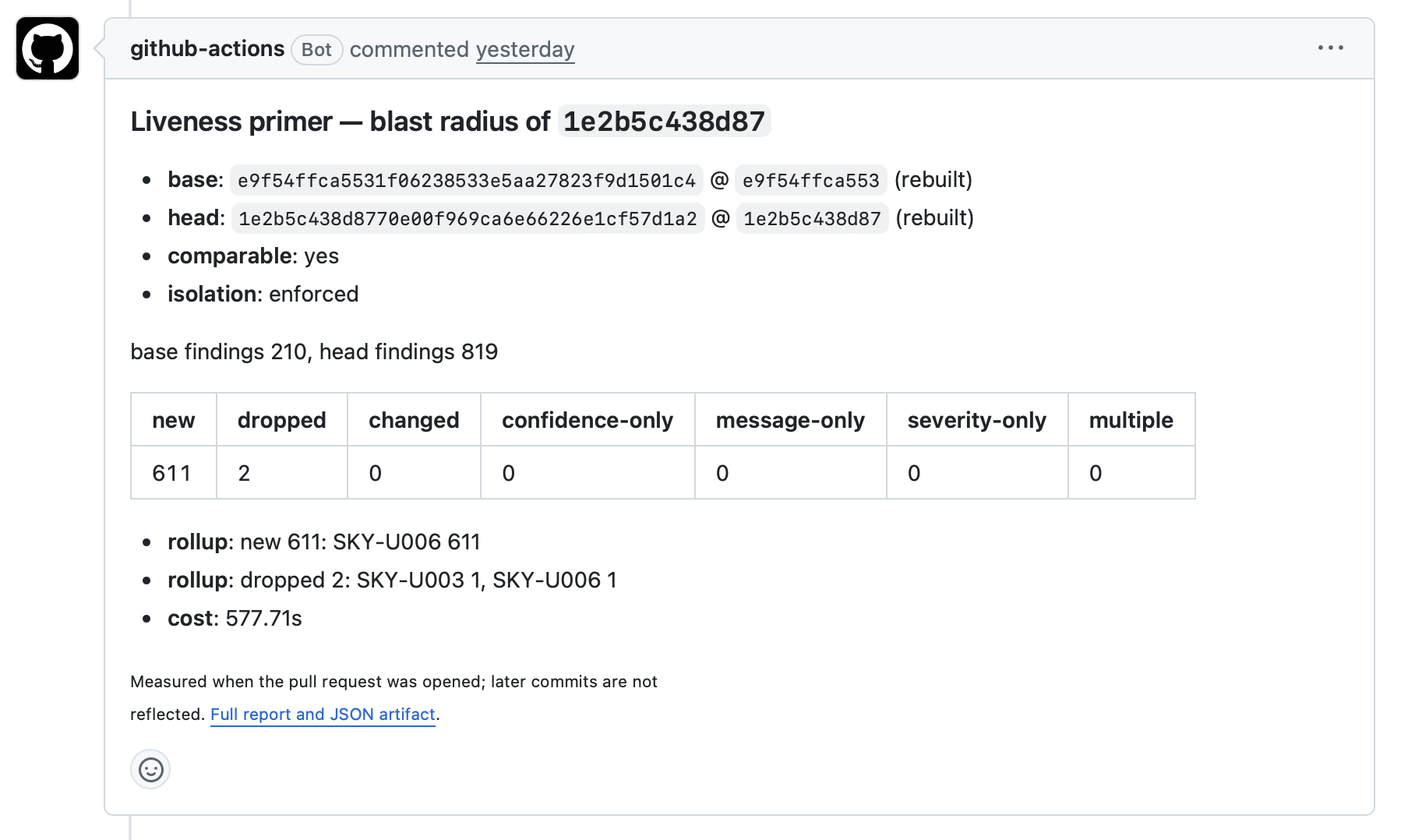
Posting a comment requires a separate step with the minimum suitable pull request permission. Keep the comparison job itself read-only, and avoid granting write permissions to jobs that run untrusted pull-request code.
Add LLM-assisted triage
The complete JSON report is suitable as input to an LLM-assisted review step. A downstream job can group changes by project or rule, highlight large or surprising clusters, call out detector failures, suggest which changes need human attention, and post an advisory digest as a pull-request comment.
Keep the versioned JSON artifact as the source of truth and link every digest back to it. Finding messages and source excerpts originate in detector output and analyzed repositories, so treat them as untrusted content: run the model step without release credentials or unnecessary write permissions, and do not let generated prose replace deterministic gates or human review.
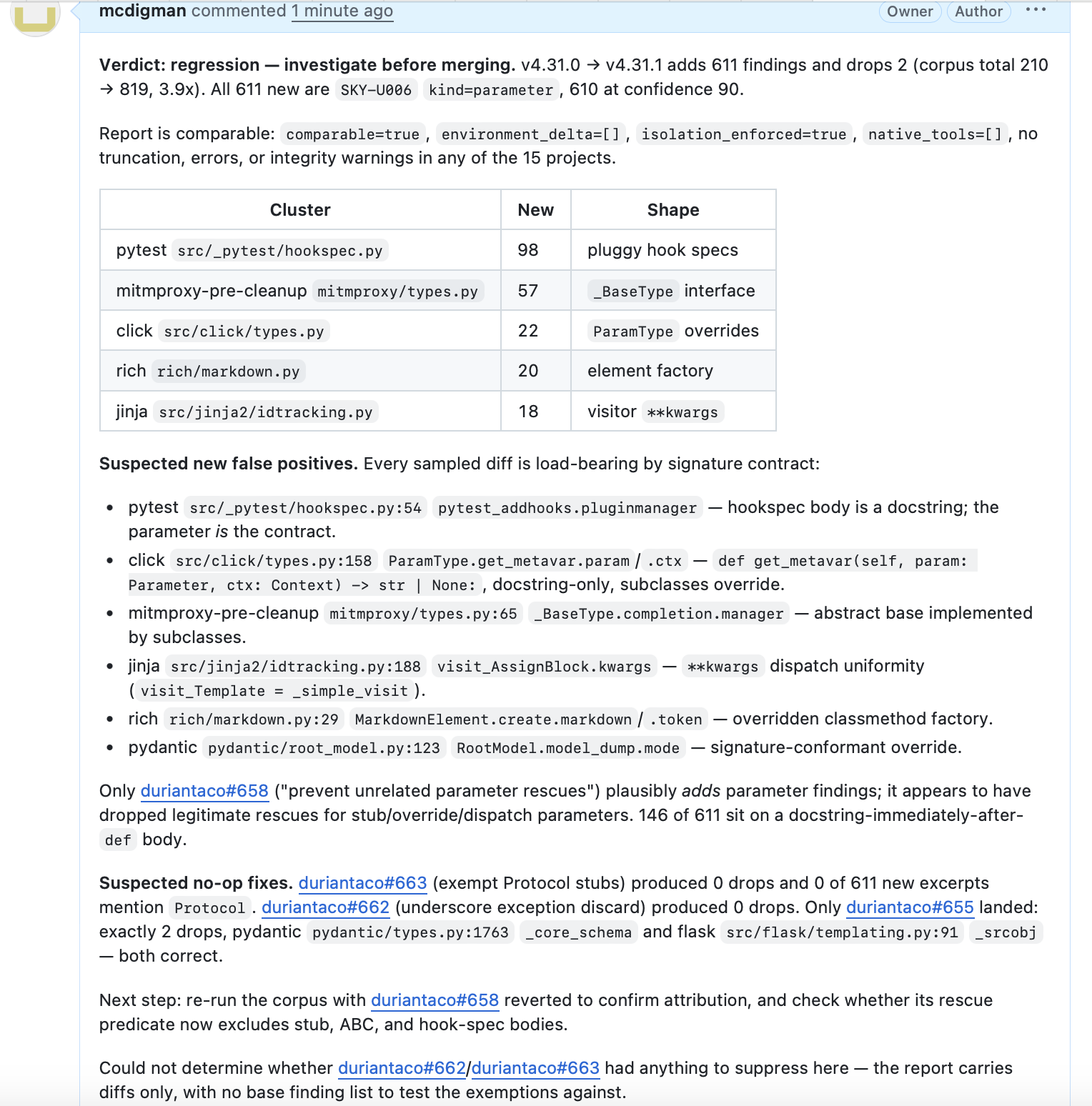
Example simulated LLM-assisted triage digest